

Visual Studio Code
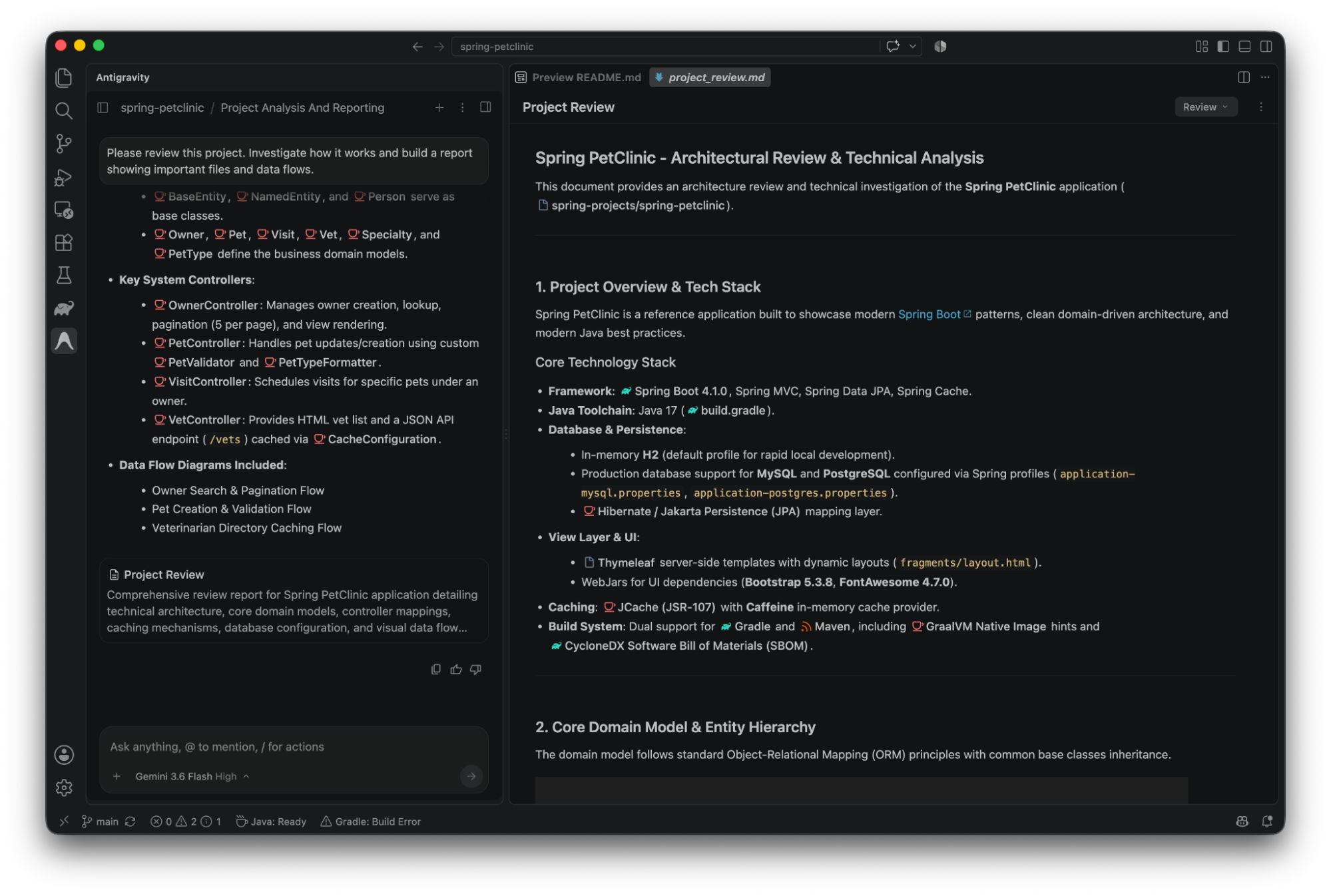
Section titled “Visual Studio Code”The Antigravity for Visual Studio Code extension brings the full agentic capabilities of Google Antigravity into VS Code. Converse with agents in dedicated side panels, review granular inline diffs, inspect interactive plans, and execute multi-step engineering tasks without leaving your editor.
1. Download VS CodeGet Visual Studio Code for macOS, Linux, or Windows if you don't have it yet.
2. Install Antigravity extensionDownload the official Google Antigravity extension from the VS Code Marketplace.
Prerequisites
Section titled “Prerequisites”Ensure that you meet the following prerequisites before installing the extension:
- Visual Studio Code: Version 1.90 or later on macOS, Linux, or Windows.
- Antigravity entitlement: A Google Account with any Antigravity plan (including the free tier) or an enterprise account enabled for Gemini Enterprise.
Installation and setup
Section titled “Installation and setup”Complete the following steps to install the VS Code extension:
- Open Visual Studio Code.
- Open the Extensions sidebar (
Ctrl+Shift+Xon Windows and Linux,Cmd+Shift+Xon macOS) or visit the Visual Studio Code Marketplace. - Search for Google Antigravity (published by Google).
- Click Install.
- Click the Antigravity icon in the Activity Bar to sign in and begin setup. The extension automatically installs the local
agybackend service on first launch.
Authentication and sign-in
Section titled “Authentication and sign-in”Antigravity uses a unified sign-in across all surfaces. Learn more about authentication and entitlements:
Gemini Enterprise authenticationLearn how enterprise developers and administrators configure sign-in with Google Cloud credentials and IAM policies.
Antigravity 2.0 overviewLearn how sign-in and account entitlements work across Antigravity 2.0 and developer surfaces.