newspaperPress Guidelines
Pricing
Blog
Downloaddownload

Explore our next generation products

See overview

Products

antigravityAntigravity 2.0terminalAntigravity CLIcodeAntigravity IDEsdkAntigravity SDK

Built for developers in the agent-first era

See overview
EnterpriseFrontendFullstackScienceMarketer

Everything you need to stay up-to-date and get help

Documentationkeyboard_arrow_rightChangelogSupportPressReleases

Explore our next generation products

See overview

Products

antigravityAntigravity 2.0terminalAntigravity CLIcodeAntigravity IDEsdkAntigravity SDK

Built for developers in the agent-first era

See overview
EnterpriseFrontendFullstackScienceMarketer
Pricing
Blog

Everything you need to stay up-to-date and get help

Documentationkeyboard_arrow_rightChangelogSupportPressReleases
Home
Antigravity 2.0v2.3.1keyboard_arrow_right
Overview
Getting Started
Build with Google
Feature Overview
Models
Projects
Settingskeyboard_arrow_right
Overview
Agent Settings
Artifact Review
Customizationskeyboard_arrow_right
MCP
Skills
Rules
Plugins
Hooks
Sidecars
Agent Capabilitieskeyboard_arrow_right
Permissions
Subagents
Artifactskeyboard_arrow_right
Overview
Plan
Walkthrough
Screenshots
Antigravity CLIv1.1.5keyboard_arrow_right
Overview
Getting Started
Installation & Auth
Tutorial
Using AGY CLI
Features
Gemini Migration
Prompting
Artifactskeyboard_arrow_right
Overview
Conversations
Agent Capabilitieskeyboard_arrow_right
Choose an execution mode
Subagents
Sandbox
Permissions
Projects
Settingskeyboard_arrow_right
Overview
AI Credits
Customizationskeyboard_arrow_right
MCP
Plugins & Skills
Status Line
Window Title
Commandskeyboard_arrow_right
Agents (/agents)
Code Search (/codesearch)
AI Credits (/credits)
Diff (/diff)
Permissions (/permissions)
Resume (/resume)
Status Line (/statusline)
Window Title (/title)
Model Quotas (/usage, /quota)
Best Practices
Troubleshooting
Reference
Antigravity SDKv0.1.7keyboard_arrow_right
Overview + Quick Start
Customizationskeyboard_arrow_right
MCP
Antigravity IDEv2.1.1keyboard_arrow_right
Overview
Getting Started
Featureskeyboard_arrow_right
Tab
Side Panel
Review Changes
Artifactskeyboard_arrow_right
Plan
Walkthrough
Screenshots
Browser Recordings
Browserkeyboard_arrow_right
Overview
Allowlist / Denylist
Separate Chrome Profile
Customizationskeyboard_arrow_right
MCP
Skills
Rules
Workflows
Plugins
Hooks
Settings
Migrationkeyboard_arrow_right
Firebase Studio Migration
Enterprise
Plans
FAQ
  • side_navigation
  • Antigravity 2.0
  • >
  • Settings
  • >
  • Artifact Review

Artifact Reviewlink

When starting a new Agent conversation, you can choose between two primary execution modes that determine how changes are proposed and reviewed:
  • Planning Mode: The agent plans thoroughly before executing tasks. In this mode, the agent organizes its work in task groups, produces structured implementation plans called Artifacts, and thoroughly researches the codebase for optimal quality.
  • Fast Mode: The agent executes tasks directly without a dedicated planning phase. Use this for simple, highly localized tasks that can be completed quickly, such as variable renaming, running a specific bash command, or small refactors.
When working in Planning Mode, the Artifact Review Policy controls how you interact with and approve these plans before changes are made to your codebase.

Artifact Review Policylink

You can customize the review workflow in the Agent tab of the Settings pane. Choose between two policies:

1. Request Review (Recommended)link

The agent always halts and requests your explicit approval before proceeding with proposed changes.
  • When the agent generates an implementation plan or code diff, it will pause execution and notify you.
  • This allows you to thoroughly review the proposed changes, add inline comments, and verify the plan in your workspace.
  • Once you are satisfied, you can approve the plan to let the agent proceed.
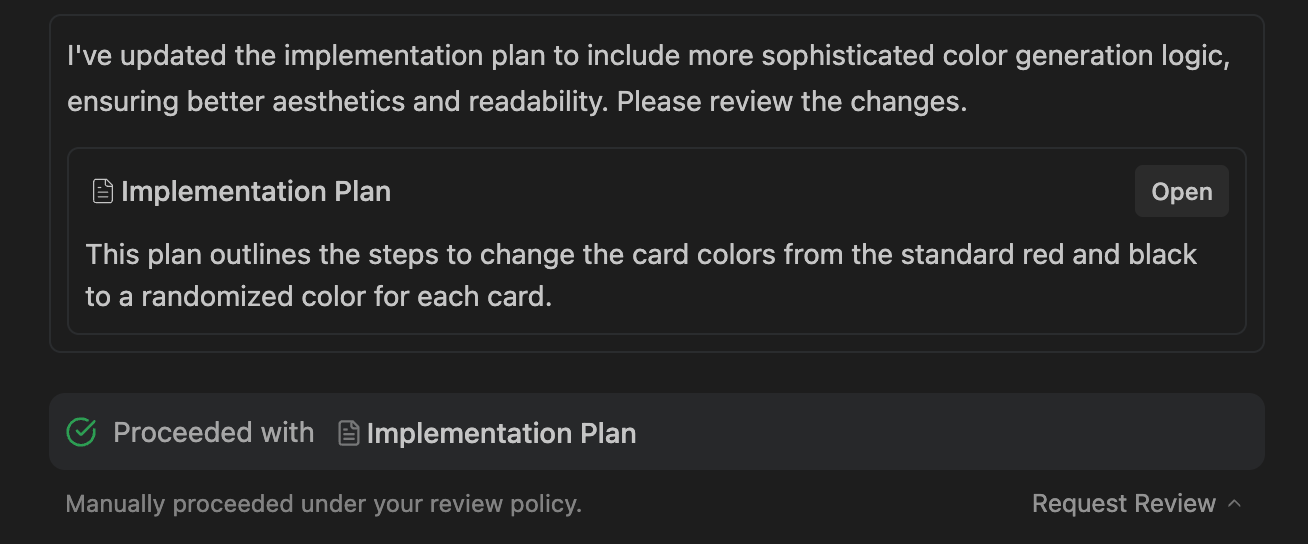
Settings Review Policy Manual

2. Always Proceedlink

The agent never halts for manual review and immediately proceeds with executing its plans.
  • When the agent decides to request a review, it will immediately bypass the pause and continue with the implementation.
  • Use this if you want a fully autonomous workflow and do not need to manually verify plans before code is modified.
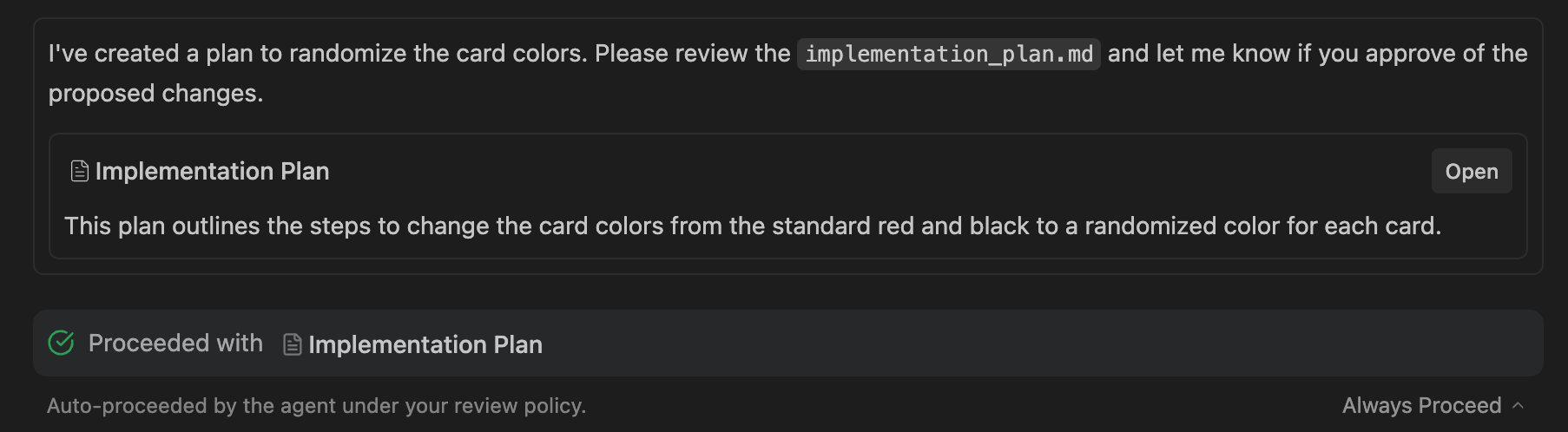
Settings Review Policy Proceed
Agent Settings
MCP
On this Page
Artifact ReviewArtifact Review Policy