Explore our next generation products
Built for developers in the agent-first era
Everything you need to stay up-to-date and get help
Diff Command (/diff)link
View and review workspace changes, commit history, and agent turn diffs interactively within the TUI.
Overviewlink
The
/diff command opens the Interactive Diff Viewer, a full-screen panel that allows you to inspect changes in your workspace and conversation history. It supports three distinct modes (VCS, Turn, and Commit) and provides an interactive review workflow where you can add line-by-line comments to steer the agent's next steps.Interactive Diff Viewer Panelslink
To open the Diff Viewer:
- Type
/diffin the prompt box. - Press
Enter.
text
/diffNavigation and Controlslink
The Diff Viewer operates in three modes, which you can cycle through using
Tab (or Right / Left arrow keys):- VCS Mode: Shows a list of all modified and untracked files in your active workspace.
- Supports Git, Mercurial (Hg), and Jujutsu (JJ) automatically.
- Use
↑/↓to navigate the file list, andEnterto open the detail view. - Turn Mode: Shows the changes introduced by the agent in each turn of the current conversation.
- Useful for reviewing the agent's work step-by-step.
- Use
↑/↓to navigate, andEnterto view details. - Commit Mode: Renders an interactive commit graph/tree of your repository.
- Use
↑/↓to navigate the commit chain. - Use
←/→to navigate to adjacent branches in the graph. - Press
Enterto load the diff for the selected commit.
---
Step-by-Step Walkthroughlink
Here is how to use the Diff Viewer to review changes, add comments, and steer the agent.
1. Reviewing Workspace Changes (VCS Mode)link
When you run
/diff, it opens in VCS Mode by default (if you have uncommitted changes). You will see a list of modified and untracked files: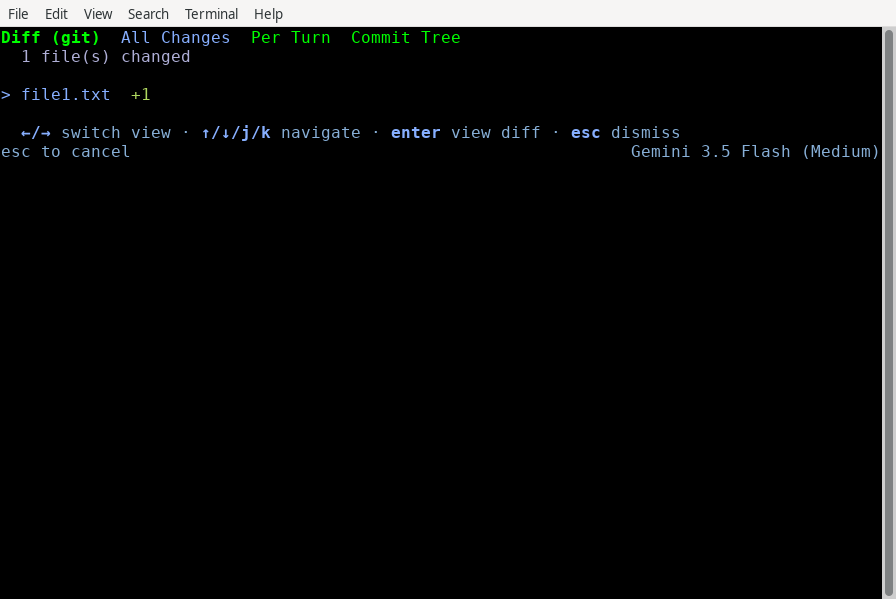
Press
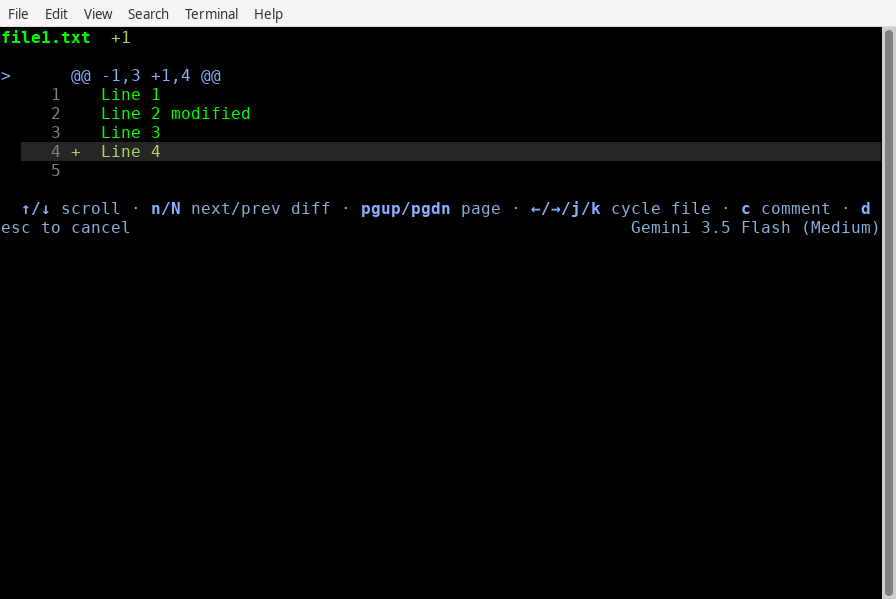
Enter on a file to open its Detail View. This shows the unified diff.- Use
↑/↓(arrow keys) to scroll the diff. - Use
j/k(or←/→) to quickly swap between files without returning to the list. - Use
n/Nto jump to the next/previous diff hunk.
2. Adding Comments and Steering the Agentlink
While in the Detail View, you can review the code and write feedback directly onto specific lines.
Step 1: Locate the line Scroll to the line you want to comment on.
Step 2: Open the comment input Press
c. The Comment Input overlay opens at the bottom: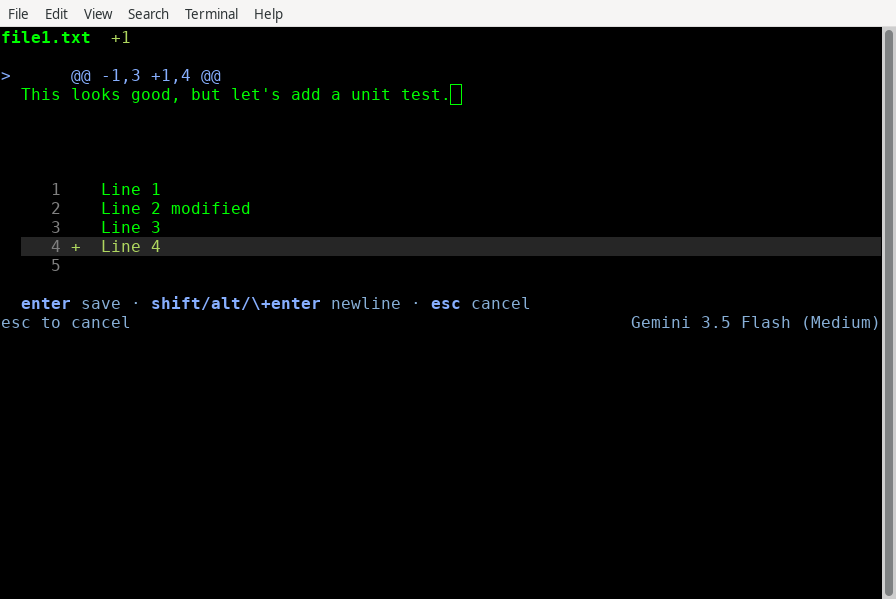
Step 3: Write your feedback Type your feedback and press
Enter to save (or Esc to cancel).Step 4: Manage your comments Saved comments are marked in the diff. You can delete a comment by highlighting the line and pressing
d.Step 5: Exit and submit Press
Esc to return to the file list. Press Esc again to exit /diff. If you have unsaved comments, a confirmation screen appears:- Press
Shift+Yto approve and exit. Your comments are formatted and sent to the agent as your next prompt, allowing you to steer its next turn. - Press
Shift+Nto reject and exit, discarding the comments.
3. Reviewing Turn History (Turn Mode)link
Press
Tab to switch to Turn Mode. This groups changes by the conversation turn in which they were introduced, allowing you to see exactly what the agent did in previous steps: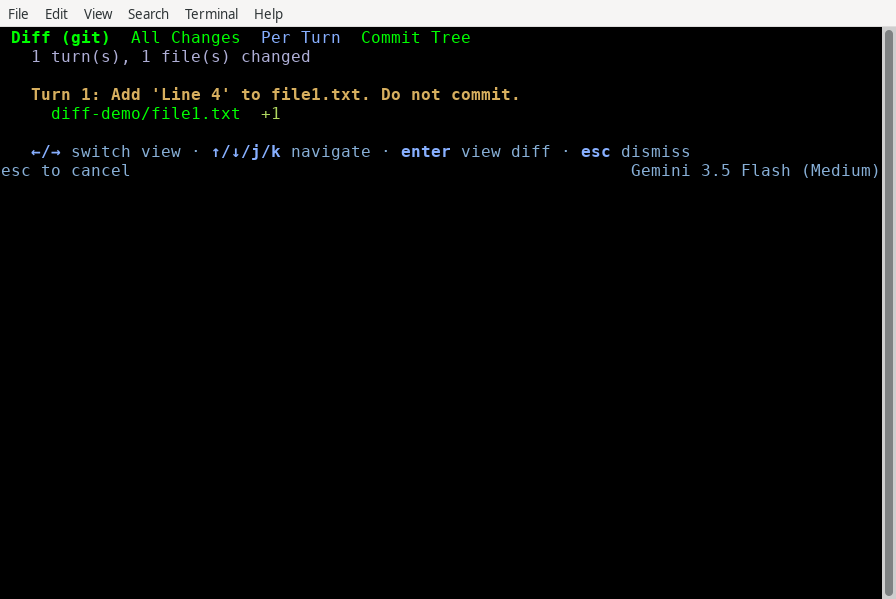
4. Navigating the Commit Tree (Commit Mode)link
Press
Tab again to switch to Commit Mode. This renders the repository's commit history as an interactive graph. You can navigate up and down the chain, or hop between branches using ←/→: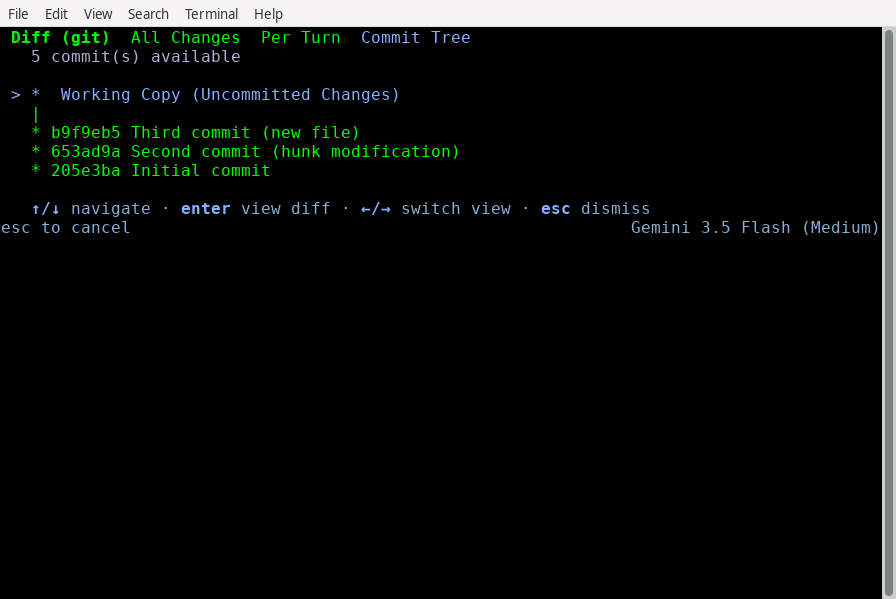
Highlight any commit and press
Enter to load and review its diff: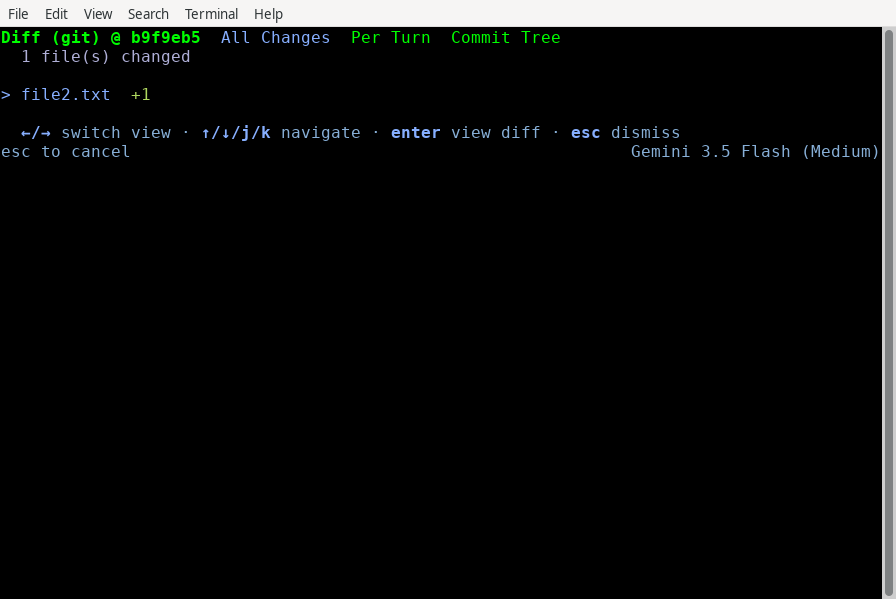
---
Keyboard Shortcuts Referencelink
File List View (VCS & Turn Modes)link
| Key | Action |
|---|---|
Tab / → / ← | Cycle modes (VCS → Turn → Commit) |
↑ / ↓ (or j / k) | Navigate file list |
Enter | Open selected file's Detail View |
Esc | Exit Diff Viewer |
File Detail Viewlink
| Key | Action |
|---|---|
↑ / ↓ | Scroll diff content |
PgUp / PgDn | Scroll diff by page |
j / k (or → / ←) | Switch to next / previous file |
n / N (or shift+n) | Jump to next / previous diff hunk |
c | Add/edit comment on the current line |
d | Delete comment on the current line |
Esc | Return to File List View |
Commit Tree View (Commit Mode)link
| Key | Action |
|---|---|
↑ / ↓ | Navigate commit history |
← / → | Navigate to adjacent branches in the graph |
Enter | Load diff for the selected commit |
Esc | Exit Diff Viewer |
Exit Confirmation Screenlink
| Key | Action |
|---|---|
Shift+Y | Exit and send comments to the agent |
Shift+N | Exit and discard comments |
Esc | Return to File List View |
See alsolink
- Settings & Keybindings: Customize your TUI theme, alt-screen preferences, and keybindings.
- Conversations: Learn how to manage, fork, and rewind conversation threads.
- CLI Reference: Quick reference for all slash commands and default shortcuts.
On this Page