Explore our next generation products
Built for developers in the agent-first era
Everything you need to stay up-to-date and get help
Choose an execution modelink
Control whether Antigravity CLI pauses to ask before modifying files or executing commands during a session.
Before you beginlink
- Install Antigravity CLI
- Have an active project repository with source code to edit
Available modeslink
Each execution mode makes a different tradeoff between conversational autonomy and developer oversight. The table below shows how Antigravity CLI handles file operations and planning in each mode.
| Mode | Behavior | Best for |
|---|---|---|
default | Pauses for interactive diff review before modifying or creating files. | Standard development, reviewing sensitive code changes, and careful refactoring. |
accept-edits | Automatically approves file edits and creations (mkdir, touch, file writes). | Rapid prototyping, iterating on trusted code, and reducing prompt interruptions. |
plan | Prepends the /plan instruction prefix to analyze and outline steps before writing code. | Exploring unfamiliar architecture or designing complex multi-step features. |
> Note: Tool permission rules configured via
/permissions or --dangerously-skip-permissions continue to govern shell commands (run_command) across all execution modes.Cycle execution modes during a sessionlink
You can switch execution modes mid-session without interrupting active tasks or restarting the terminal.
- Press
Shift+Tabinside the prompt box to cycle through the active sequence:
default → accept-edits → plan → default- Observe the status bar indicator below the prompt input to confirm your active mode (
[accept-edits]or[plan]).
> Tip: When Antigravity CLI pauses for a pending file edit confirmation in
default mode, you can press Shift+Tab to instantly switch to accept-edits mode and approve all pending file modifications.Review modifications in default modelink
In
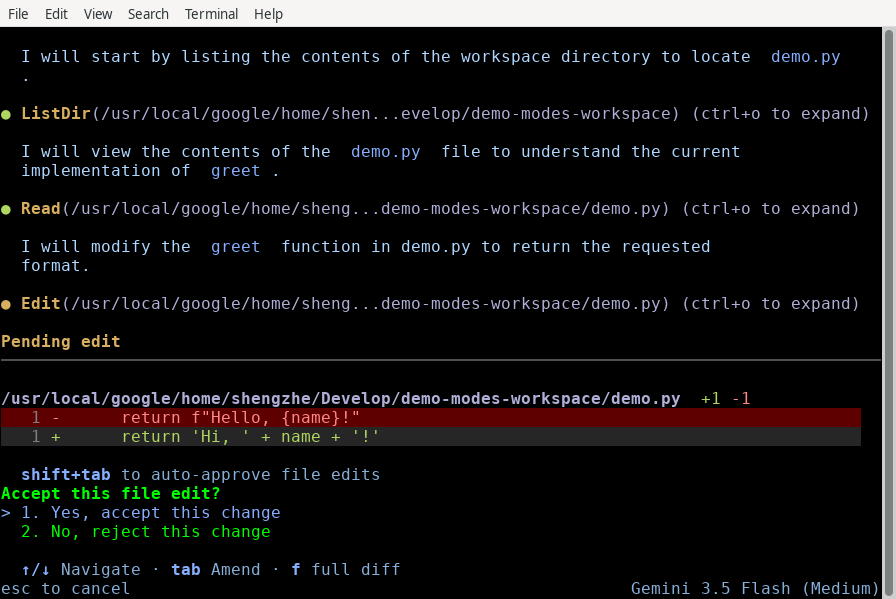
default mode (request-review), Antigravity CLI pauses before applying any file writes to disk and renders an inline, syntax-highlighted diff preview.bash
# Launch in default interactive review mode
agy
When prompted with a pending file modification:
- Press
yto accept the changes and save the file to disk. - Press
nto reject the edits and keep the existing file unchanged. - Press
f(KeyViewDiff) to open a full-screen, scrollable diff review with 3 context lines and hunk separators. - Press
Ctrl+Gto open the file inside your$EDITORfor manual adjustments. - Type instructions in the prompt box and press
Enterto reject the edit and tell the agent what to do differently.
New file creation previewslink
When Antigravity CLI creates a brand-new file, the confirmation panel displays an addition-only diff preview with a dedicated
"Create file" header and explicit allow/deny prompts:text
Create file: src/utils/formatter.ts
Allow create this file? [y/n/f]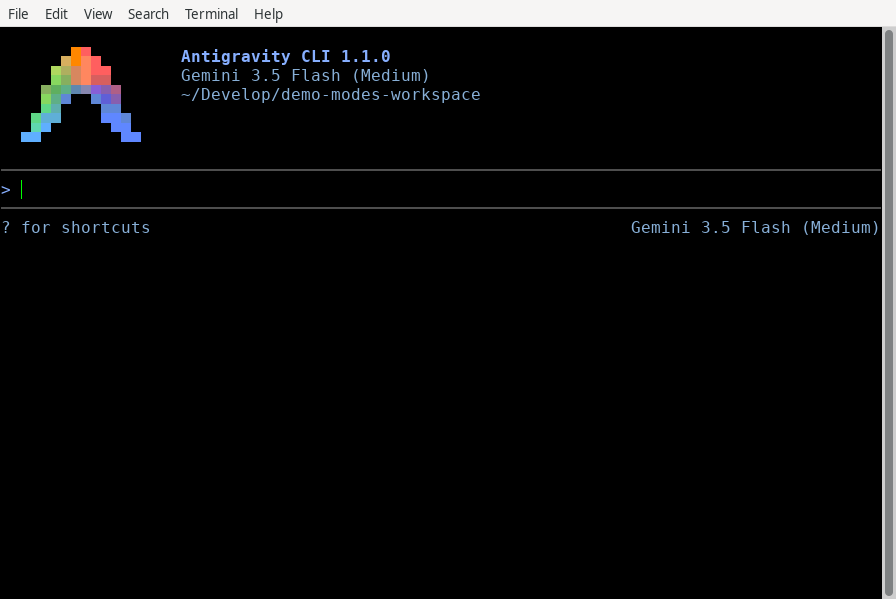
Auto-approve edits with accept-edits modelink
Select
accept-edits mode when you want Antigravity CLI to work in longer, uninterrupted stretches across your filesystem without pausing for each file modification.bash
# Launch directly in accept-edits mode
agy --mode=accept-edits
In this mode, all standard file read, creation, and replacement operations (
write_to_file, replace_file_content, multi_replace_file_content) run automatically. Subagents spawned during the session also inherit the accept-edits setting, preventing background file writes from queueing for manual approval.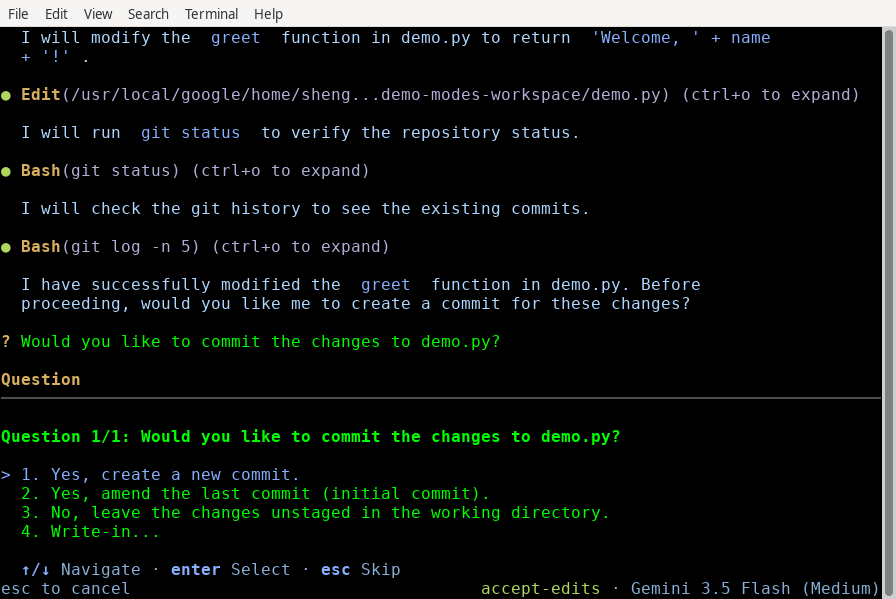
Analyze tasks before editing with plan modelink
Use
plan mode when taking on complex refactoring, multi-file architectural changes, or unfamiliar codebase investigations.bash
# Launch directly in planning mode
agy --mode=plan
When
plan mode is active via Shift+Tab cycling or the --mode flag, the CLI automatically prepends the /plan instruction prefix to your prompts. The agent investigates relevant files using read-only tools (code_search, grep_search, view_file) and presents a structured execution outline for your approval before writing code.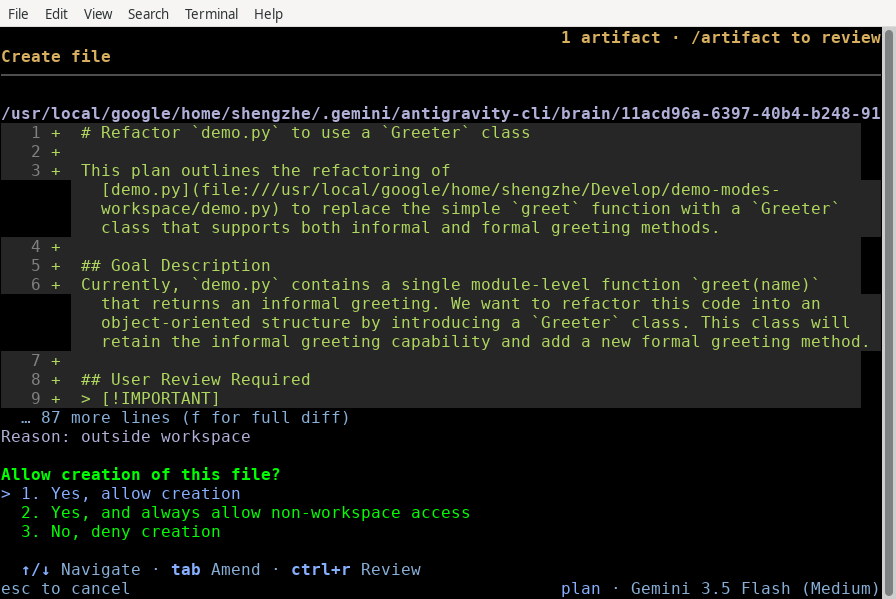
Persist or override your default modelink
You can set your preferred startup execution mode permanently across sessions or override it for specific invocations.
Using the interactive settings panellink
Open the interactive settings panel mid-session to inspect or update your default configuration.
bash
/settings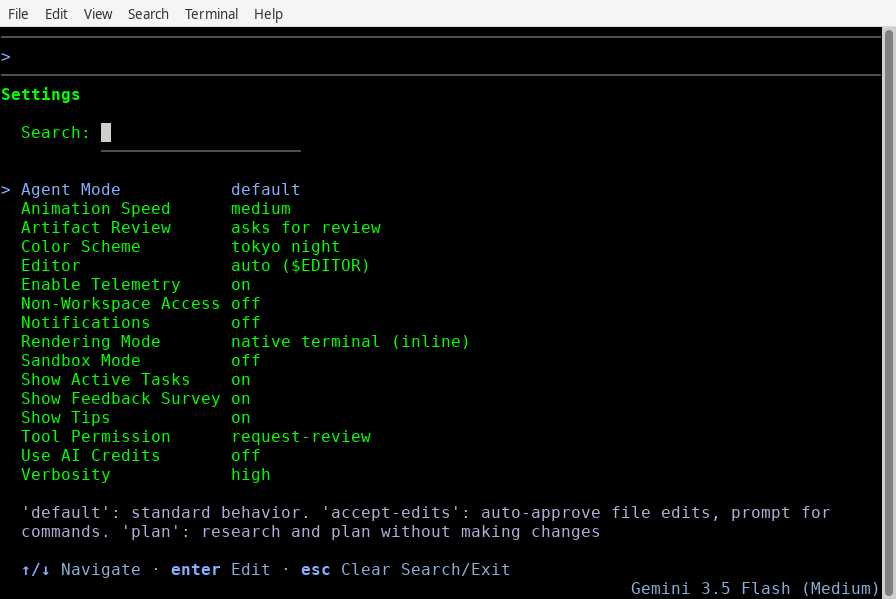
Navigate to Agent Mode using
↑/↓, press Enter or Space to select your default (default, accept-edits, or plan), and press Ctrl+S to save. Modifying this option synchronizes your runtime CycleMode immediately.Setting `agentMode` in `settings.json`link
Set
agentMode directly inside your user or project configuration file:json
{
  "agentMode": "accept-edits"
}
The CLI loads this file from
~/.gemini/antigravity-cli/settings.json at startup and applies your chosen baseline execution mode.Command-line flag overrideslink
Pass the
--mode flag to temporarily override your persistent default mode for a single terminal run:bash
# Override settings.json to run in planning mode
agy --mode=plan
Common mistakeslink
| Mistake | Why it fails | Fix |
|---|---|---|
Expecting sandbox in Shift+Tab cycling | sandbox is an OS containment permission setting, not an execution mode | Configure sandbox auto-approval rules inside /permissions |
Using legacy /planning or /fast commands | These vestigial commands were removed in 1.1.0 | Press Shift+Tab to cycle modes or type /plan before your prompt |
Passing --permission-mode | agy uses --mode (--mode=accept-edits or --mode=plan) for execution overrides | Run agy --mode=accept-edits or check agy --help |
Next stepslink
- Permissions: Configure fine-grained tool approval rules and wildcard matching
- Settings, Rendering & Keybindings: Customize configuration overrides and interactive preferences
- Background Tasks & Subagents: Manage parallel subagent execution and asynchronous task queues
On this Page