Explore our next generation products
Built for developers in the agent-first era
Everything you need to stay up-to-date and get help
Settingslink
Configure how the Antigravity Agent interacts with your environment, executes commands, and secures your workspace.
Command Execution & File Accesslink
Terminal Command Auto Executionlink
Controls how the agent executes generated shell commands:
- Request Review: The agent will always prompt for confirmation before executing any terminal command (except those explicitly added to your configurable Allow list).
- Always Proceed: The agent will execute commands automatically without prompting (except those explicitly added to your configurable Deny list). High autonomy, high risk.
Agent Non-Workspace File Accesslink
Allows the agent to view and edit files outside of the active project folders.
- By default, the agent only has access to the folders inside your Project and the application’s local app data directory
~/.gemini/antigravity/(which contains Artifacts, Knowledge Items, etc.). - Enforcing this boundary protects your local sensitive data. Enable non-workspace access with caution.
Strict Modelink
Strict mode provides enhanced security controls for the Agent, allowing you to restrict its access to external resources and sensitive operations. When strict mode is enabled, several security measures are enforced to protect your environment.
Browser URL Allowlist/Denylistlink
In strict mode, the Agent's ability to interact with external websites is governed by the browser's Allowlist and Denylist. This applies to:
- External Markdown Images: The Agent will only render images from URLs that are allowed.
- Read URL Tool: The Read URL tool will only auto-execute for allowed URLs.
Terminal, Browser, and Artifact Review Policieslink
Strict mode enforces the following behavior for terminal, browser, and artifact interactions:
- Terminal Auto Execution: Set to "Request Review". The Agent will always prompt for permission before executing any terminal command. The terminal allowlist is ignored when strict mode is enabled.
- Browser Javascript Execution: Set to "Request Review". The Agent will always prompt for permission before executing Javascript in the browser.
- Artifact Review: Set to "Request Review". The Agent will always prompt for confirmation before acting on plans laid out in artifacts.
File System Accesslink
Strict mode restricts the Agent's access to the file system to ensure it only interacts with authorized files:
- Respect .gitignore: The Agent will respect
.gitignorerules, preventing it from accessing ignored files. - Workspace Isolation: Access to files outside the workspace is disabled. The Agent can only view and edit files within the designated workspace.
Terminal Sandboxinglink
Sandboxing provides kernel-level isolation for terminal commands executed by the Agent. When enabled, commands run in a restricted environment with limited file system and network access, protecting your system from unintended modifications.
Sandboxing is currently disabled by default, but this may change in future releases. It is supported on macOS and Linux. On macOS, it leverages Seatbelt (
sandbox-exec), Apple's kernel-level sandboxing mechanism. On Linux, it uses nsjail for process isolation.Enabling Sandboxinglink
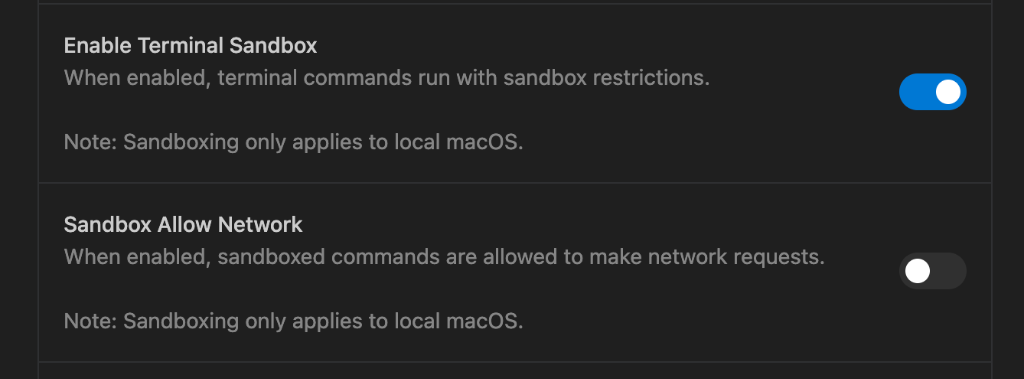
You can enable or disable sandboxing in Antigravity User Settings. Toggle "Enable Terminal Sandboxing" to turn sandboxing on or off. When enabled, you can also control network access separately using the "Sandbox Allow Network" toggle.
Restrictionslink
When sandboxing is enabled, the Agent's terminal commands are subject to the following restrictions:
- File System: Commands can only write to your designated workspace directory and essential system locations. This prevents the Agent from accidentally deleting or modifying files outside your project.

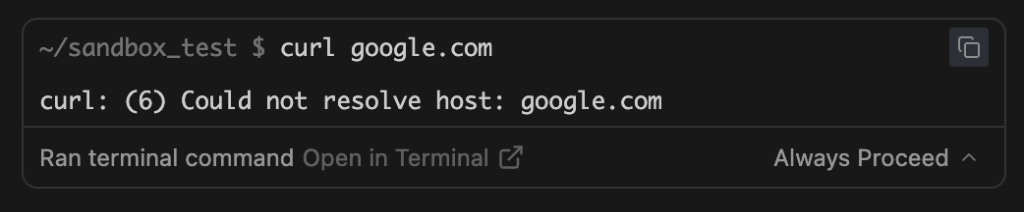
- Network Access: Network connectivity can be independently controlled. Use the "Sandbox Network Access" toggle in Antigravity User Settings to allow or deny network access while maintaining file system restrictions.
Here's an example of a command being blocked due to network restrictions:
Interaction with Strict Modelink
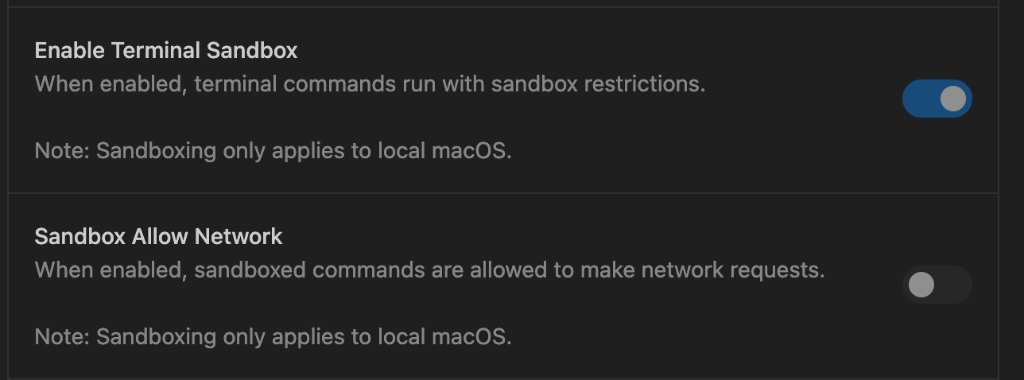
When strict mode is enabled, sandboxing is automatically activated with network access denied. This ensures maximum protection when operating in a strict environment.
On this Page